
AtomicClock
Precise NTP time at a glance. Check the current second, switch between local time, UTC or any time zone, and use it as a trusted reference for watches, devices and timestamps.
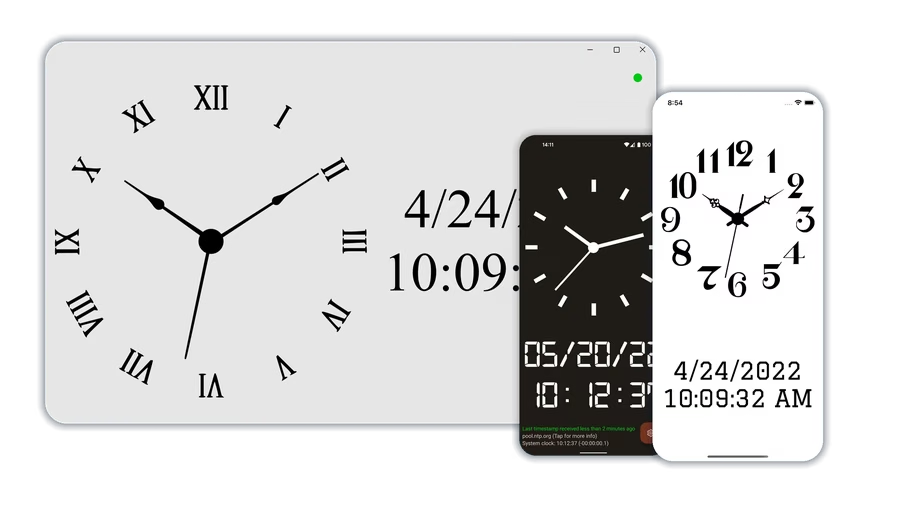



Exact time when seconds matter
AtomicClock gives you a clear, second-by-second display for time-sensitive moments: New Year's Eve, daylight saving time changes, setting watches, verifying timestamps, or checking another device.
Also useful for: keeping a precise desk or nightstand clock visible, checking event start times, following radio or UTC-based schedules, astronomy sessions, travel, and lining up camera or recorder timestamps.
A clear clock display backed by technical precision
The app stays focused on a readable clock. Pick a predefined time server or add your own, then view the result in the format you need: analog or digital, local time, UTC or another selected time zone.
- Exact current time from public or custom time servers
- Local time, UTC or another selected time zone
- 12-hour and 24-hour time formats
- Smooth second hand, ticking sound and Greenwich Time Signal
- Round-trip time and stratum details when you need them
Available across your devices
AtomicClock runs on Windows, Android, iPhone, iPad and Apple silicon Macs. The core app stays focused on a clear NTP reference clock, with practical extras where each platform supports them.
- Screen tap actions to hide the info/menu, freeze the display or mute ticking
- Android picture-in-picture mode and home screen widget with time and date
- Windows compact overlay, customizable widget support and optional system time synchronization
- Optional paid upgrade for more clock faces, hands, fonts, more Android widget customization and ad removal
Frequently asked questions
Where does AtomicClock get its time from?
AtomicClock displays time from selectable NTP time servers. You can use predefined servers or add your own. These servers usually trace back to atomic-clock references, but the app itself is a practical reference clock rather than a physical atomic clock.
How accurate is the displayed time?
Accuracy depends on the selected time server, network conditions and device behavior. For technical checks, AtomicClock can show round-trip time and stratum so you can judge the current reference.
Can I show another time zone instead of local time?
Yes. AtomicClock can show local time, UTC or another selected time zone, which is useful for logs, radio, astronomy, travel and other workflows that need a shared time reference.
Can AtomicClock set my device clock automatically?
AtomicClock is mainly a reference display. On Android, iPhone and iPad, automatic system-clock changes are restricted by the operating system for technical and security reasons, so you use the displayed time for manual comparison. On Windows, the paid upgrade can synchronize the Windows system clock.
Do widgets show NTP reference time?
On Windows, the widget uses AtomicClock's server-corrected reference time after NTP data has been fetched. On Android, widgets use Android system time for technical and battery reasons. Open AtomicClock itself when you want to check precise server-based time.
What does the optional upgrade add?
The optional upgrade removes ads and unlocks more clock faces, clock hands and fonts. On Android, it adds more widget customization options and screen tap actions. On Windows, it also enables system time synchronization.